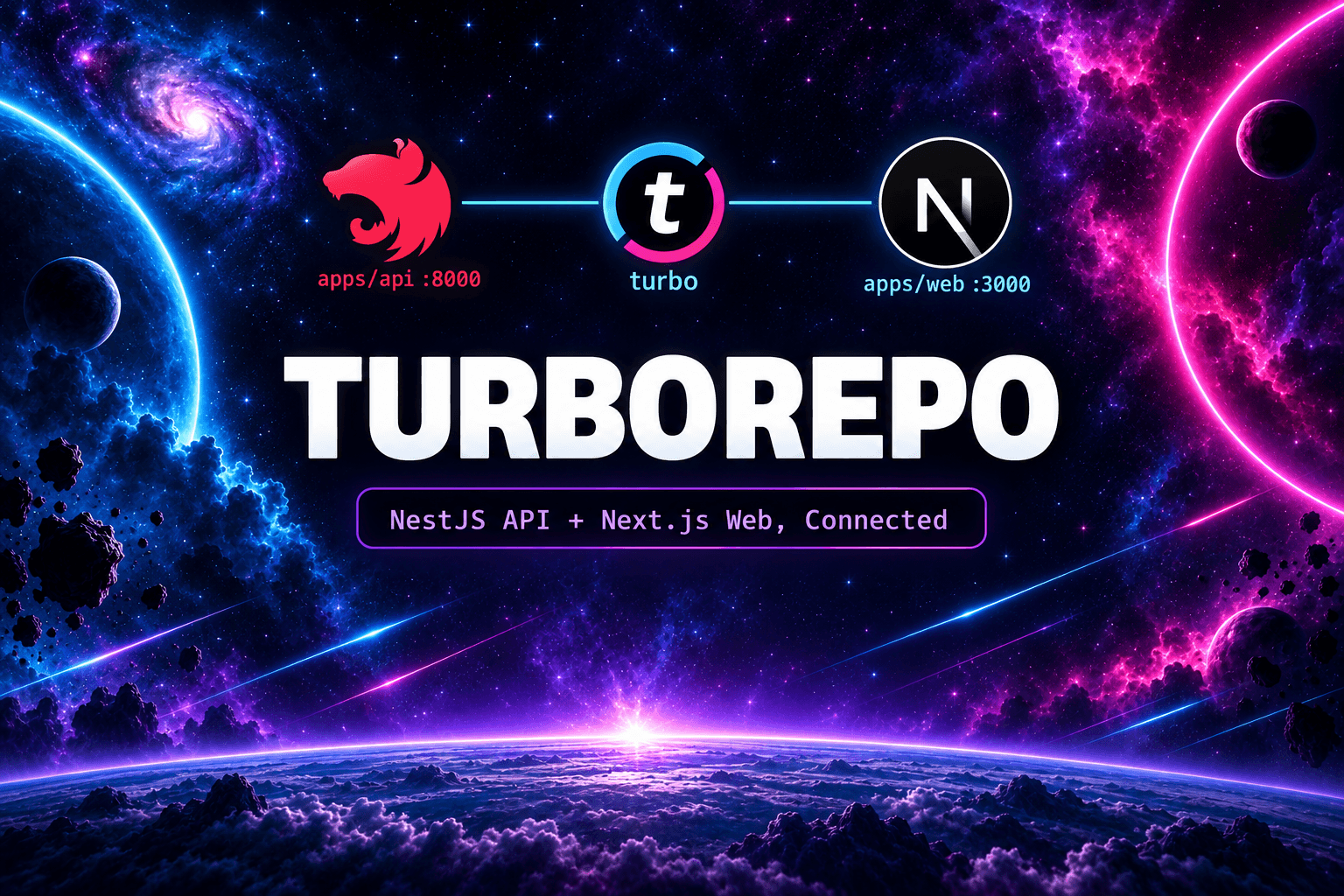
Turborepo Setup: NestJS API + Next.js Web in One Monorepo
Set up a Turborepo monorepo with a NestJS API and Next.js web app, share types between them, and connect both properly.
Turborepo Setup: NestJS API + Next.js Web in One Monorepo
Hello there! Running your API and website in two separate repos works until it doesn't. The frontend duplicates the backend types by hand, versions drift apart, and one feature needs two pull requests. This guide sets up a Turborepo monorepo with a NestJS API and a Next.js web app that share code and ship through one pipeline.
Table of Contents
- Why a Monorepo?
- Prerequisites and Setup
- Choosing a Package Manager
- Folder Structure
- Workspaces and Root Scripts
- Turborepo Pipelines
- Adding the Apps
- Sharing Types Between API and Web
- Connecting Web to API
- Running Everything
- Builds and Caching
- Deploying
- Best Practices
Why a Monorepo?
With two repos, the API changes a response shape and the web app breaks at runtime. Nobody notices until a user reports it. In a monorepo, both sides import the same type from the same package:
// packages/types/src/user.ts - one definition, both apps import it
export interface User {
  id: number;
  name: string;
  email: string;
}
// apps/api - the NestJS service returns it
import { User } from '@repo/types';
findOne(id: number): User { /* ... */ }// apps/web - the Next.js page consumes it
import type { User } from '@repo/types';
const user: User = await fetch(`${apiUrl}/users/1`).then((r) => r.json());Change the interface and TypeScript flags both apps before anything ships. One pull request carries the API change and the UI change together.
Prerequisites and Setup
Install and verify the tools first. Every command in this guide assumes them:
node --version   # 22 or higher
pnpm --version   # 10 or higher - install with: npm i -g pnpm
nest --version   # NestJS CLI - install with: npm i -g @nestjs/cli
This guide uses pnpm in every command, but npm and bun both work with Turborepo. Pick yours in the next section before you continue.
Now create the empty root. Everything else goes inside it:
mkdir my-monorepo
cd my-monorepo
pnpm init
Declare the workspaces before installing anything, so pnpm keeps one lockfile at the root from the start:
# pnpm-workspace.yaml (repo root)
packages:
  - 'apps/*'
  - 'packages/*'
Install Turbo as a root dev dependency:
pnpm add -D turbo typescriptThen add the turbo.json pipeline file and the root package.json scripts from the Turborepo Pipelines and Workspaces and Root Scripts sections below. With those four files in place (pnpm-workspace.yaml, package.json, turbo.json, pnpm-lock.yaml after the first install), the skeleton is ready for apps.
Choosing a Package Manager
Turborepo does not care which package manager you use. It shells out to whatever you run. The three practical options differ in workspace setup and daily commands:
| pnpm (used in this guide) | npm | bun | |
|---|---|---|---|
| Install | npm i -g pnpm | ships with Node | npm i -g bun |
| Workspace definition | pnpm-workspace.yaml | "workspaces" key in root package.json | "workspaces" key in root package.json |
| Install all | pnpm install | npm install | bun install |
| Run one app | pnpm --filter web dev | npm run dev -w web | bun run --filter web dev |
| Add shared dep | pnpm --filter api add @repo/types | npm install @repo/types -w api | bun add @repo/types --filter api |
| Lockfile | pnpm-lock.yaml (one, at root) | package-lock.json (one, at root) | bun.lock (one, at root) |
A few notes before you pick:
- pnpm is strict by default: an app can only import dependencies listed in its own
package.json. Phantom dependencies (importing something you never declared because it happened to be installed) fail loudly instead of working on your machine and breaking in CI. That strictness pays off fast in a monorepo. - npm needs no extra install and every tutorial assumes it. Workspaces go straight into the root
package.json, so there is one less config file. Version 7 or higher required. - bun installs and runs scripts noticeably faster, and its workspace support matches npm's shape. Double-check that every dependency you need (especially native ones pulled in by NestJS or Next.js plugins) works under bun before committing to it.
Whichever you pick, keep the rules identical: one lockfile at the root, workspace packages for apps/* and packages/*, and per-app scripts named the same (dev, build, lint, test) so Turbo can run them uniformly. The rest of this guide shows pnpm commands. npm and bun users only need to swap the install and --filter syntax from the table above.
Folder Structure
Aim for this layout when you finish:
my-monorepo/
  apps/
    web/                  # Next.js frontend (port 3000)
    api/                  # NestJS backend (port 8000)
  packages/
    types/                # shared TypeScript interfaces and DTOs
    eslint-config/        # shared lint rules
    typescript-config/    # shared tsconfig bases
  package.json            # root scripts that call turbo
  pnpm-workspace.yaml     # declares apps/* and packages/*
  turbo.json              # pipeline definitions
apps/ holds deployable things. packages/ holds shared libraries that never deploy on their own. Keep that split strict and the repo stays navigable at any size.
Workspaces and Root Scripts
pnpm-workspace.yaml tells pnpm which folders belong to the monorepo:
packages:
  - 'apps/*'
  - 'packages/*'
One lockfile at the root covers every app and package. The root package.json holds only orchestration scripts:
{
  "name": "my-monorepo",
  "private": true,
  "scripts": {
    "dev": "turbo run dev",
    "build": "turbo run build",
    "lint": "turbo run lint",
    "test": "turbo run test",
    "typecheck": "turbo run typecheck"
  },
  "devDependencies": {
    "turbo": "latest",
    "typescript": "^6.0.3"
  },
  "packageManager": "pnpm@10.33.4"
}
Each app keeps its own package.json with its own dependencies. Next.js stays in apps/web, NestJS stays in apps/api. They never import from each other directly. Shared code goes through packages/.
Turborepo Pipelines
turbo.json describes how tasks relate. This is the file that makes the monorepo fast:
{
  "$schema": "https://turborepo.dev/schema.json",
  "tasks": {
    "build": {
      "dependsOn": ["^build"],
      "outputs": [".next/**", "dist/**"]
    },
    "dev": {
      "cache": false,
      "persistent": true
    },
    "lint": {},
    "typecheck": {
      "dependsOn": ["^build"]
    },
    "test": {
      "dependsOn": ["^build"]
    }
  }
}
Two lines do most of the work. "dependsOn": ["^build"] means an app builds only after its workspace dependencies build first, so apps/web waits for @repo/types. "persistent": true on dev tells Turbo the task never exits, so logs from the API and the web app stream side by side instead of Turbo waiting forever.
Adding the Apps
Scaffold each app inside apps/ with its own CLI, in this order. Run every command from the repo root:
# 1. Next.js frontend -> creates apps/web
npx create-next-app@latest apps/web --typescript --tailwind --app --use-pnpm

# 2. NestJS backend -> creates apps/api (pick pnpm when asked)
nest new apps/api
Open each generated package.json and confirm the name matches the folder. Rename if the CLI picked something else:
// apps/api/package.json
{ "name": "api", "scripts": { "dev": "nest start --watch", "build": "nest build" } }
// apps/web/package.json
{ "name": "web", "scripts": { "dev": "next dev", "build": "next build" } }Matching names matter because Turbo filters (--filter=api, --filter=web) match on them, not on folder paths.
Now install everything once from the root. pnpm reads the workspace file and links all apps into the single root lockfile:
pnpm installVerify the tree looks right before going further:
pnpm --filter api exec nest --version
pnpm --filter web exec next --version
Start one app at a time to confirm each boots on its own port:
turbo run dev --filter=api    # expect "Hello World!" on http://localhost:8000
turbo run dev --filter=web    # expect the Next.js starter on http://localhost:3000
If both pages load, the skeleton works. The shared packages and the web-to-API connection come next.
Sharing Types Between API and Web
Create packages/types with a proper package name and export map:
// packages/types/package.json
{
  "name": "@repo/types",
  "version": "0.0.0",
  "private": true,
  "main": "./src/index.ts",
  "types": "./src/index.ts",
  "exports": { ".": "./src/index.ts" },
  "scripts": { "lint": "echo ok", "typecheck": "tsc --noEmit" }
}
// packages/types/src/index.ts
export * from './user';
export * from './api-response';// packages/types/src/api-response.ts
export interface ApiResponse<T> {
data: T;
statusCode: number;
}Add it as a dependency where needed:
pnpm --filter api add @repo/types
pnpm --filter web add @repo/types
pnpm links the workspace package, so edits to packages/types show up in both apps immediately. No publish step, no version bumps during development.
Connecting Web to API
Three pieces connect the two apps: ports, environment variables, and CORS.
1. Fixed ports. Keep the defaults apart on purpose: web on 3000, API on 8000. In apps/api/src/main.ts, read the port from the environment:
async function bootstrap() {
  const app = await NestFactory.create(AppModule);
  await app.listen(process.env.PORT ?? 8000);
}
bootstrap();
2. Environment variables per app. Each app owns its .env files. The web app only needs the API base URL:
# apps/web/.env.local
NEXT_PUBLIC_API_URL=http://localhost:8000
# apps/api/.env
PORT=8000
WEB_ORIGIN=http://localhost:3000NEXT_PUBLIC_ exposes the variable to the browser. Anything without that prefix stays server-side. Never put secrets in a NEXT_PUBLIC_ variable.
3. CORS on the API. Browsers block cross-origin requests by default, and during development your web app (localhost:3000) and API (localhost:8000) are different origins. Allow the web origin explicitly:
async function bootstrap() {
  const app = await NestFactory.create(AppModule);
  app.enableCors({
    origin: process.env.WEB_ORIGIN ?? 'http://localhost:3000',
  });
  await app.listen(process.env.PORT ?? 8000);
}
bootstrap();
Then fetch from a Next.js Server Component with the shared type:
import type { User } from '@repo/types';

async function getUser(id: number): Promise<User> {
  const res = await fetch(`${process.env.NEXT_PUBLIC_API_URL}/users/${id}`, {
    cache: 'no-store', // fresh data on every request
  });
  if (!res.ok) throw new Error('Failed to load user');
  return res.json();
}
Server Components can also read a non-public variable, which keeps the internal API URL out of the browser bundle entirely. Use NEXT_PUBLIC_API_URL when client components call the API directly, and a server-only variable when only Server Components and Route Handlers call it.
Running Everything
One command starts the whole stack:
pnpm dev
# runs turbo run dev -> web on :3000, api on :8000
Turbo prefixes each log line with the app name, so you can tell the API logs from the web logs at a glance. Stop everything with one Ctrl+C.
Builds and Caching
turbo run build builds shared packages first, then the apps that depend on them. The outputs in turbo.json (.next/**, dist/**) let Turbo cache results: rebuild without changes and Turbo replays the cached output in milliseconds instead of recompiling.
pnpm build   # turbo run build - cached per package
pnpm lint    # turbo run lint across every app and package
pnpm test    # turbo run test across every app and package
In CI, build only what changed since the base branch:
turbo run build test lint --filter=...[HEAD^1]This is where the monorepo pays for itself on larger teams: a docs-only change skips the API and web builds entirely.
Deploying
Deploy each app separately. The monorepo is a development structure, not a deployment bundle:
- apps/web deploys to Vercel or Netlify with the root set to
apps/web. SetNEXT_PUBLIC_API_URLto the production API address. - apps/api deploys to Railway, Render, or Fly.io with the root set to
apps/apiand a start command likenode dist/main.js. SetWEB_ORIGINto the production web address.
Each platform builds with a filter (turbo run build --filter=web...) so it compiles the shared packages it needs and nothing else. Update the env vars on both sides when the production URLs change, or requests fail silently across origins.
Best Practices
- Apps never import from each other — shared code lives in
packages/and both sides depend on it. - Keep shared packages small and focused —
types,eslint-config, maybeui. A giant shared package becomes a second monolith. - Name workspace packages with a scope —
@repo/typesmakes workspace imports obvious and avoids collisions with npm packages. - One lockfile at the root — never run installs inside
apps/in a way that creates nested lockfiles. - Gate CI on affected packages —
--filter=...[HEAD^1]keeps pipelines fast as the repo grows.
# ✅ Good - one command, correct order, cached
turbo run build lint test

# ❌ Avoid - manual ordering that rots when you add a third app
pnpm --filter @repo/types build && pnpm --filter api build && pnpm --filter web build
That is the full loop: one repo, shared types, one pnpm dev for the whole stack, and separate deploys per app. Build the root first, drop in your Next.js and NestJS apps, share the types first, and add more packages only when two apps genuinely need the same code. Happy coding! 🚀